
The Challenge
Icelandic is spoken by fewer people than live in a mid-sized European city. The big tech companies support it, but rarely well. Tools built for Icelandic first are rare, and Málstaður is one of them.
It’s made by Miðeind, and bundles their tools in one place:
- Málfríður proofreads and edits text
- Hreimur turns speech into text and subtitles
- Erlendur translates between Icelandic and other languages
- Snara looks words up in dictionaries
The technology underneath was impressive. The experience on top of it was holding it back.
Getting to know it
I started the way I always do, by understanding the company, the product and the people using it before forming any opinions. I dug through the analytics, ran user research and went to meet customers in person to see how the tools actually fit into their work.
I also went through what customers were being billed for. Page views tell you where people go. Billing tells you what they use enough to pay for, and those two lists are often very different.
What do you want this to be?
After all that, my first review boiled down to one question: what do you want this to be?
Because it was a bit of everything. Each tool had its own brand and its own primary color. Purple in one, blue in another, green in a third and a different green in the fourth. You could even scroll the website footer into view inside the apps, which made them feel like web pages instead of tools you sit down and work in.
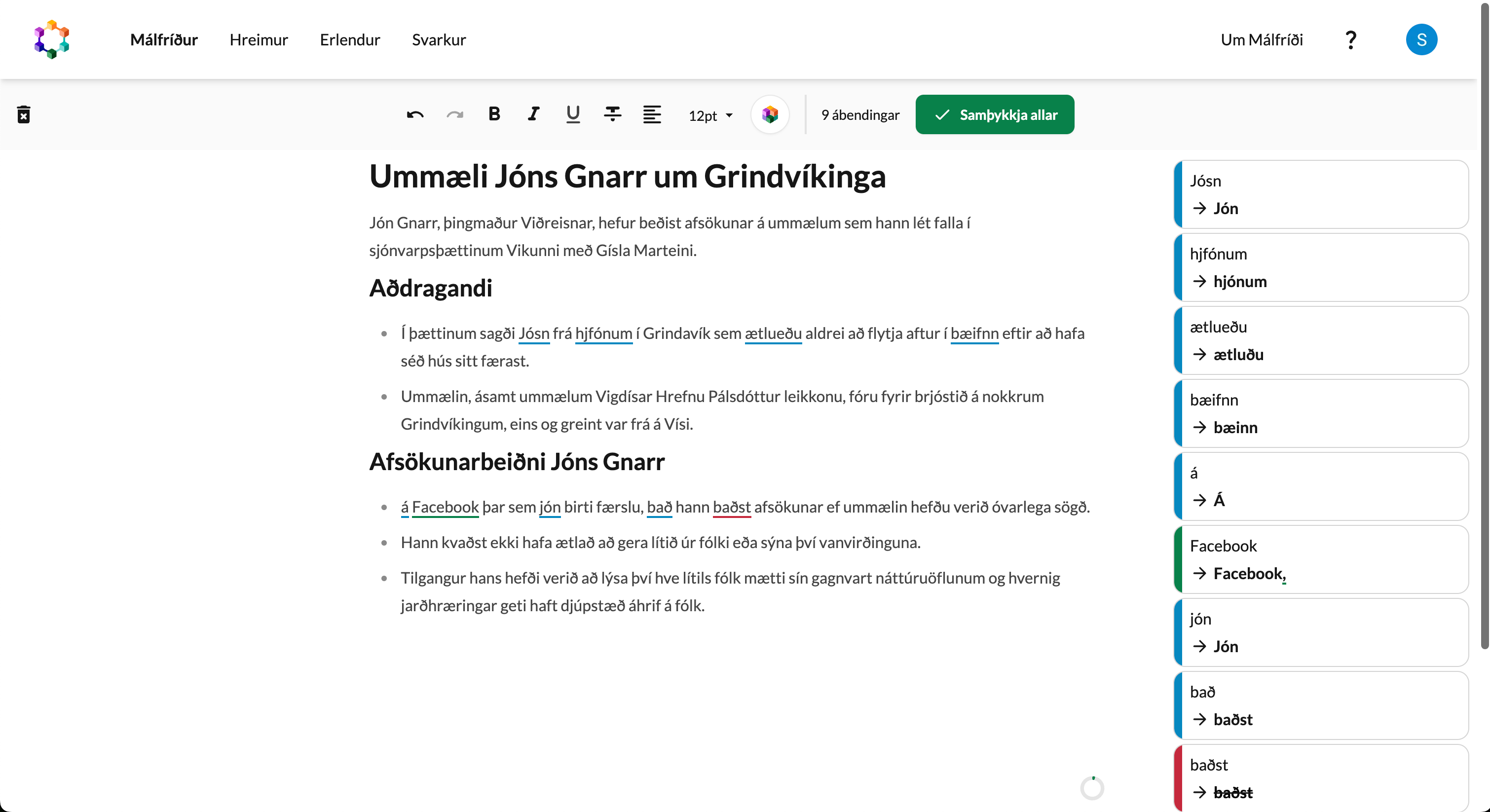
There was no clear direction for what someone should do once they got there, and nothing that said these tools belonged together.
I recommended one brand for the whole thing, keeping the tool colors for icons and marketing where they actually help you tell things apart. But the colors were only a symptom. The real problems showed up once I started using the tools for actual work.
The tool that kept eating my work
The first time I lost my work in Hreimur, I assumed I’d done something wrong. Then it kept happening. A refresh wiped everything and I had to start over from scratch.
Málfríður had the same problem in a sneakier form. Create a summary of your text, and your original text was gone.
Nothing kills trust in a tool faster than losing your work. If people can’t trust it with a half-finished transcript, they won’t trust it with anything important.
So I argued that we had to take responsibility for people’s documents and make sure their work never gets lost by accident. That meant storing them, which is a bigger decision than it sounds for a company handling other people’s text and recordings.
Some customers don’t want their data stored at all, and for good reason. For them I proposed “temporary documents” that are deleted automatically after 7 days, set per group so an organization can decide for everyone at once.
Clicks that didn’t need to be there
Losing work was the worst of it, but even when everything went right, it took a lot of clicking to get anything done.
Hreimur made you pick between two tabs before you could even start: upload a file, or record with your microphone.
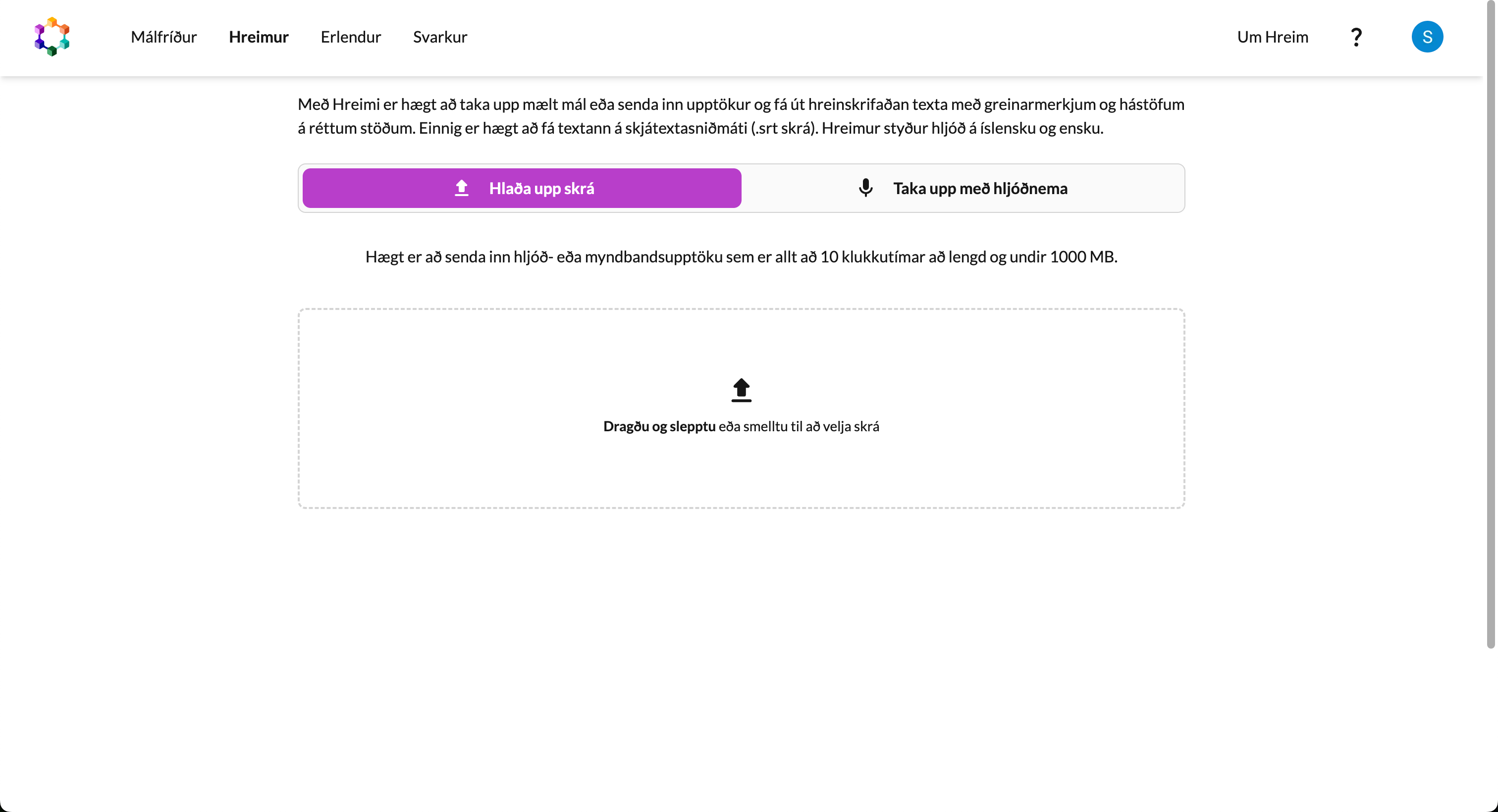
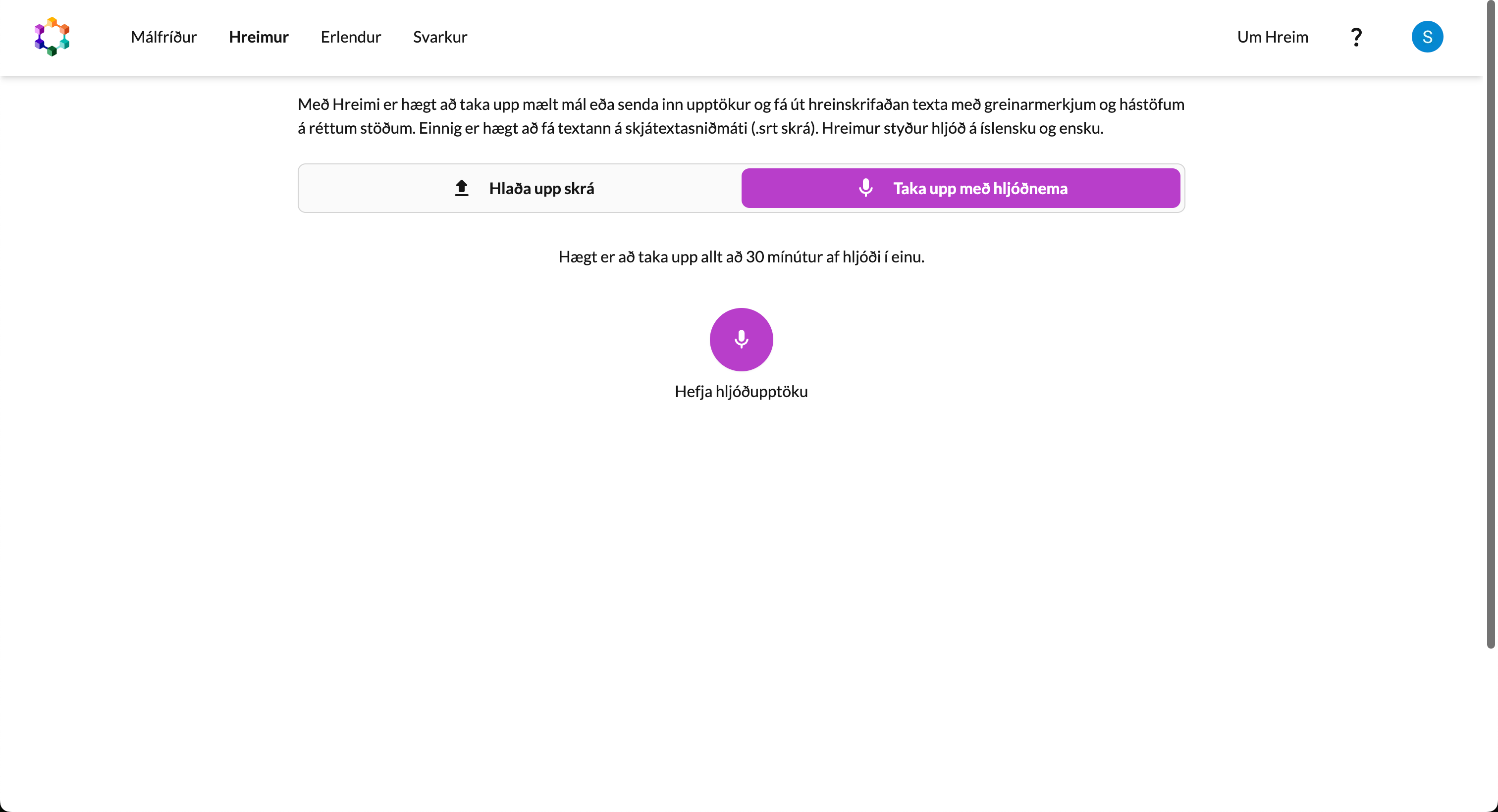
That’s a decision the tool can make for you. I suggested a single area where you can drag and drop a file, click to upload, or just hit record, whichever you came to do.
And help lived on separate pages tucked away in the navbar, about as far as you can get from the moment you actually need it.
The button that looked like a logo
Some of the best features in Málstaður were hiding in plain sight. Look at the toolbar in Erlendur: right after the font size sits a little round button with the Málstaður logo on it.
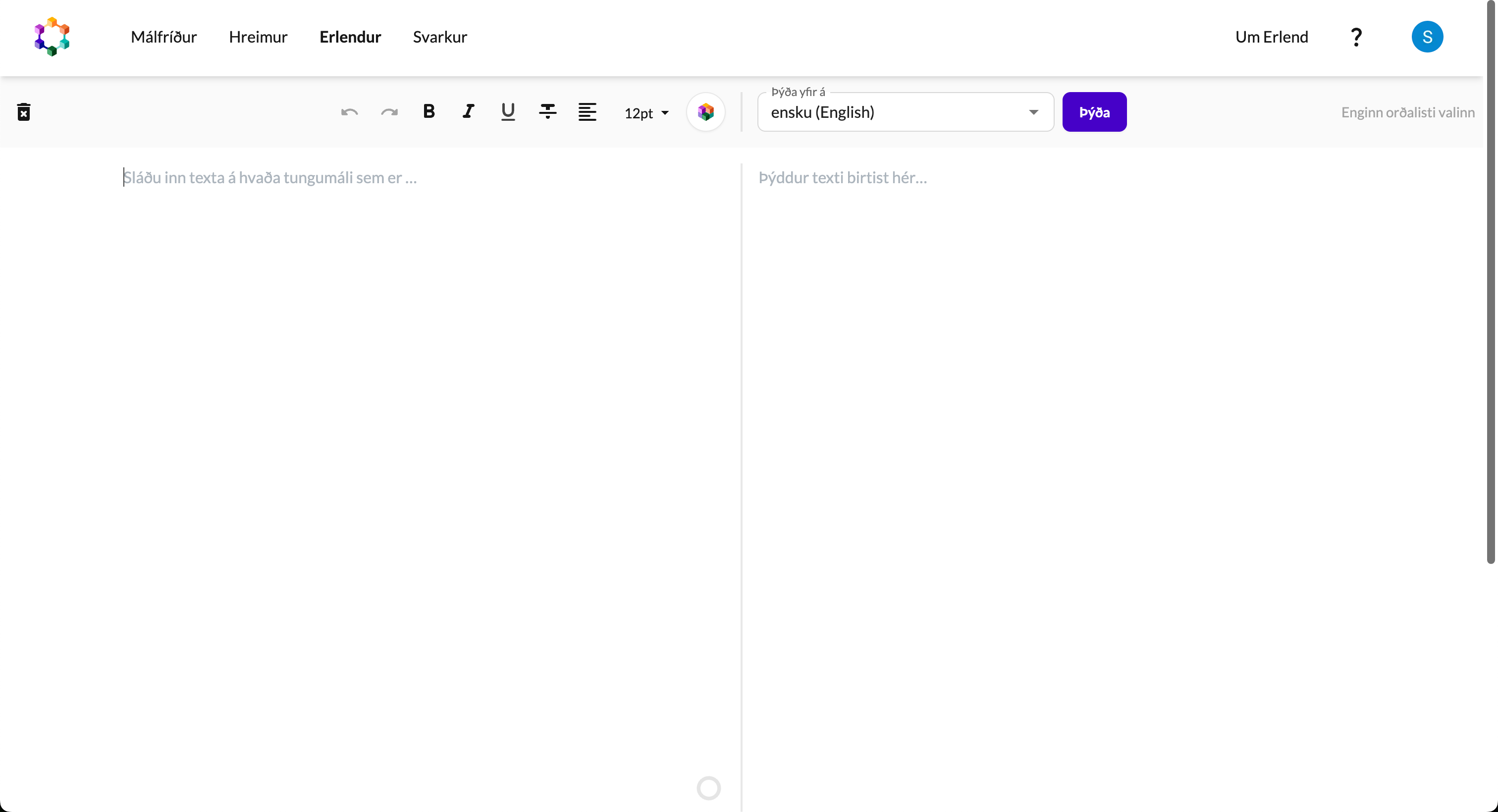
It looks like decoration. It was actually the most powerful button in the product, hiding translate, summarize, download and more, depending on which product you were using. Nobody realized it was a button, so they were missing out on the power features behind it.
Making hidden features obvious is some of the cheapest UX work there is. The features are already built and paid for. People just need to be able to find them.
People were doing the glue work themselves
Watching people use the tools, I kept seeing the same move: copy, switch tool, paste. Translate something in Erlendur, copy it, open Málfríður, paste it in, proofread it. Over and over.
Once I saw that pattern, the gaps were easy to spot. Translated text needed an easier way into Málfríður. People needed to be able to speak and get text they could then translate or proofread. Málfríður needed to start clean but keep the last session within reach.
That answered my question better than any strategy meeting could. Almost every gap was about getting text from one tool into another. People had one job, working with Icelandic text, and the product needed to make that as easy and as powerful as possible.
Setting the tone
Before I showed a single design, I set some ground rules for feedback. Don’t be afraid to criticize or question anything. I don’t take anything personally, and the best products come from everyone poking holes in them and trying to make them better.
I also asked everyone not to get hung up on colors and small details. We were there to change how things work, and I didn’t want to bikeshed over shades of green.
I do this every time I present work. It makes people a lot more honest, which is exactly what you want early on.
The “what if” design
I started with a “what if” design: a version of Málstaður with everything we could dream up. It wasn’t necessarily meant to be built any time soon. It gave us goals to aim for, and something concrete to talk about when deciding our course of action.
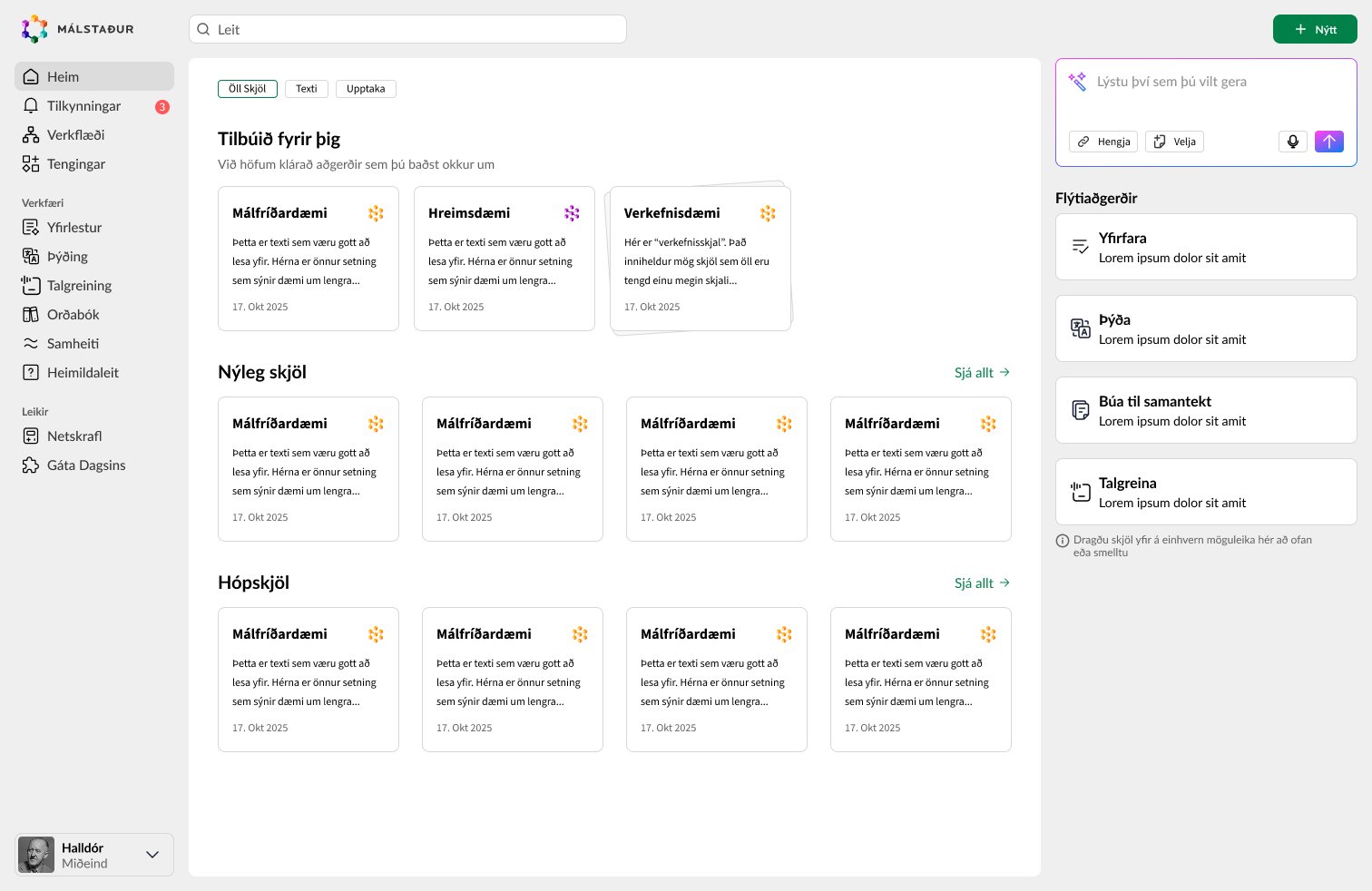
Everything starts from one dashboard. Describe what you want to do, or pick up where you left off: your recent documents, shared documents and projects are all right there. Up top, work you asked for while you grabbed a cup of coffee is waiting for you, already done.
The big idea was to remove the separation between the tools, with the Málfríður editor at the core. Instead of opening a separate synonym tool, you’d click a word and get synonyms right there. You’d switch between talking and typing whenever you felt like it, look through the dictionary for better words and drop them straight into the text. Each tool becomes more of a component that shows up wherever it’s useful.
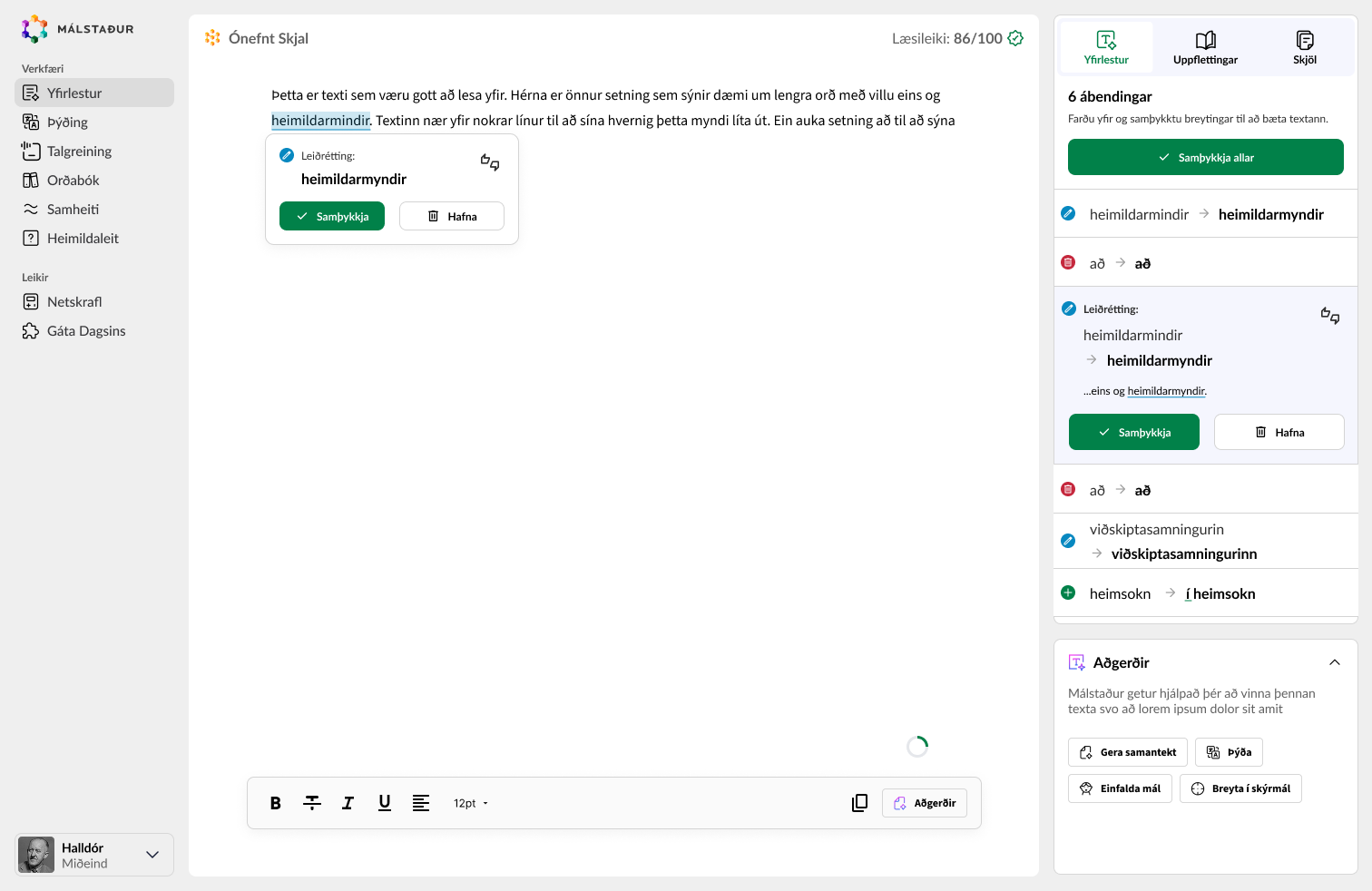
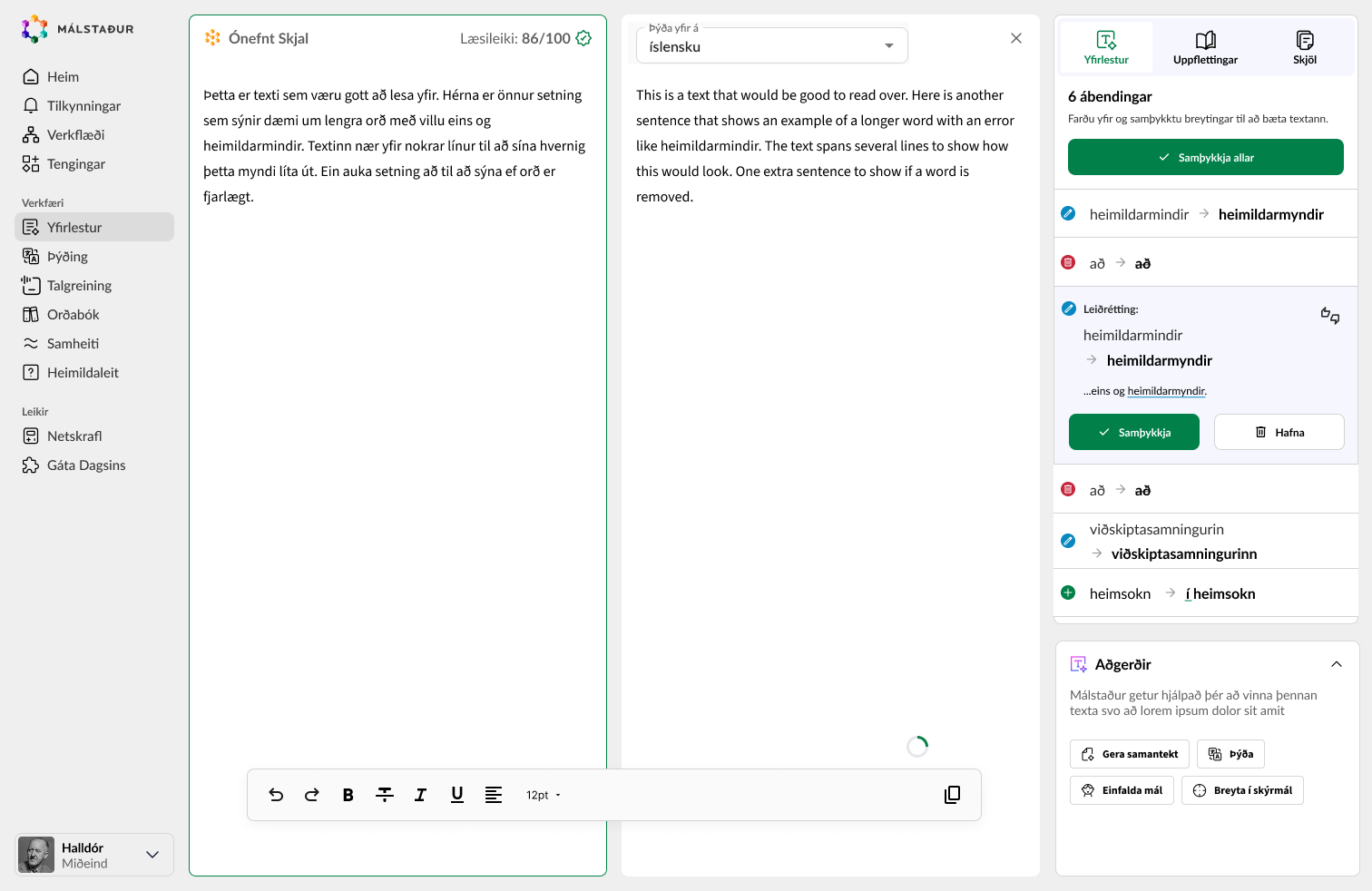
Translation is a good example. Remember the copy, switch tool, paste routine? Here you just hit translate, and the translation opens right next to your text. You never leave the document, your proofreading suggestions stay where they were, and when you’re done you close it and keep writing.
It went further than that. Projects that keep a document together with its translations and summaries. Translations that stay linked to their source, noticing when it changes and suggesting updates for the parts that changed.
Workflows could automate repeated tasks, like translating a document into multiple languages at once.
And AI that gives everyone the kind of text editing powers developers are used to, running actions like translating into multiple languages or summarizing automatically.
The first step
A destination is great, but you still need a way to get there. So after presenting the ideas, the next step was building the path, laying the foundation for everything in the “what if” design. All of it aimed at making Málstaður the one place you go to work with the Icelandic language.
A huge, dramatic launch where everything changes at once is usually a mistake, so the next steps meant a refreshed look and UX improvements while keeping localStorage, looser coupling between the apps and better navigation. This would serve as the foundation, and we would iterate on top of it to work towards the vision.
This lets you make smaller, less risky moves, get feedback and keep going. If you change everything at once, it’s hard to know what is working and what is not.
We also kept working on the new look and finalized the color scheme we wanted to use going forward.
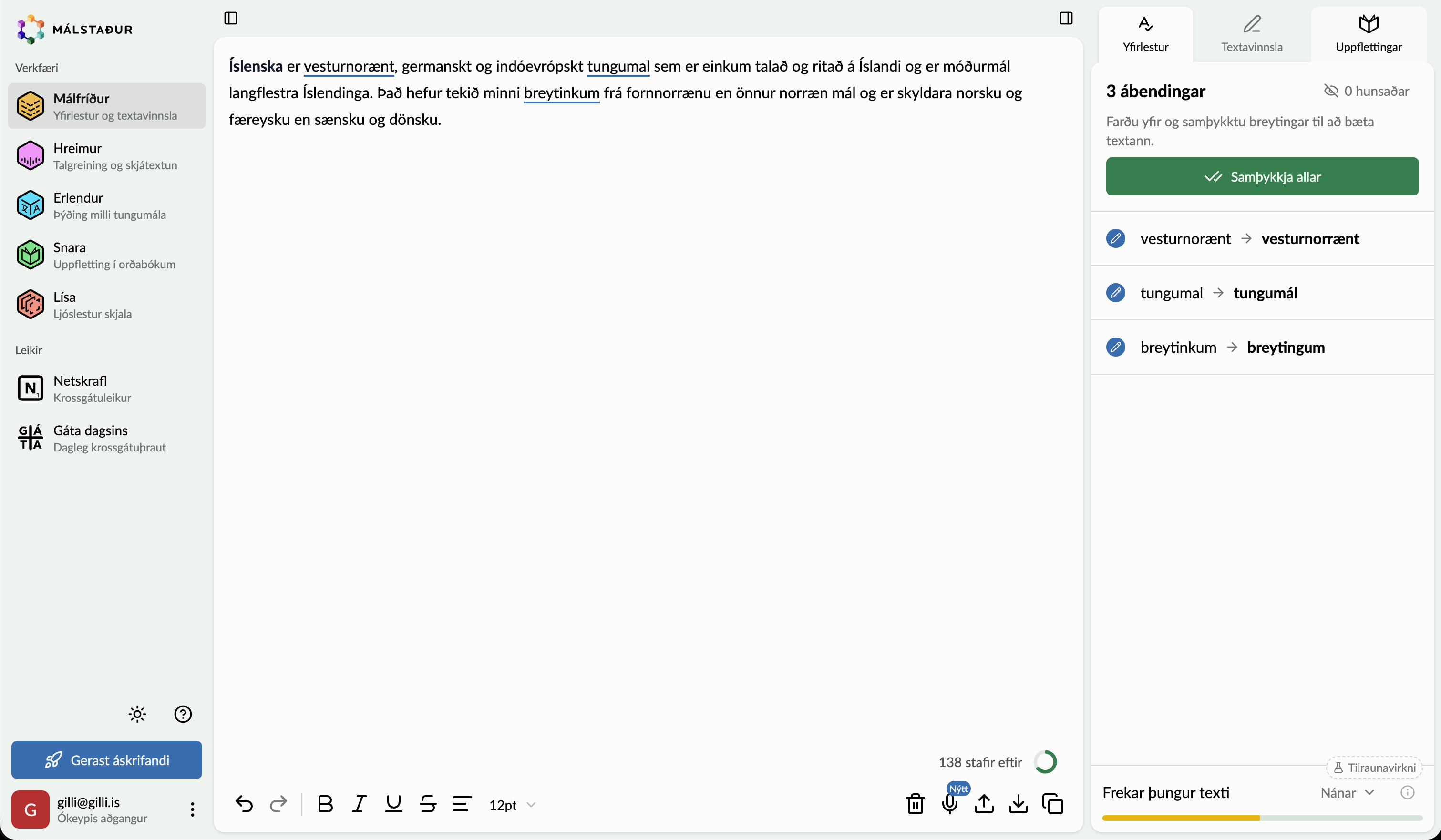
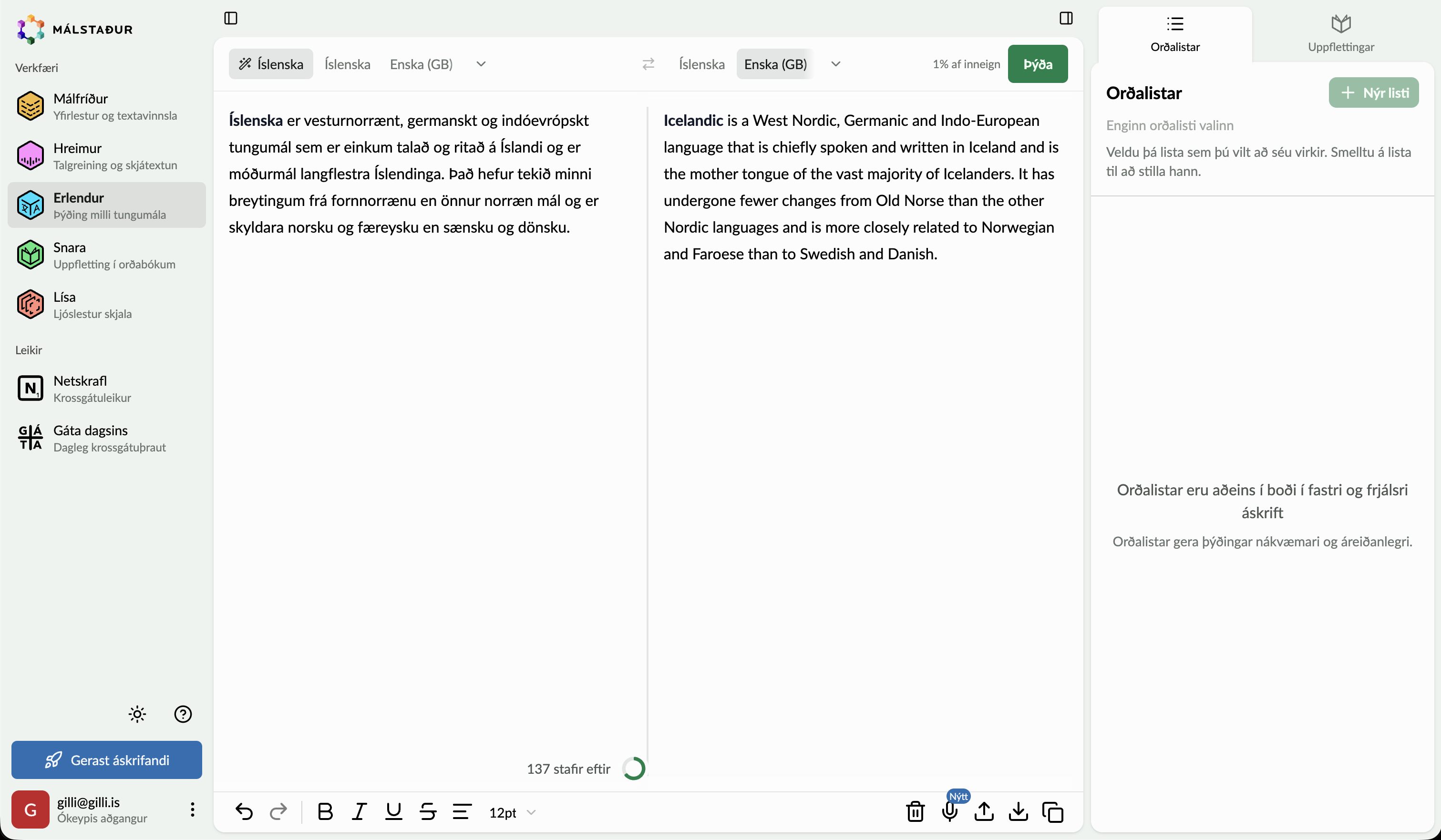
The tools now live in one sidebar under one brand. Collapse it on desktop and it keeps its icons, so you can still jump between tools. Functionality mostly stayed the same. The biggest change was in how Málfríður and Erlendur work together.
In Erlendur, the language dropdown became tabs sorted by the languages you used most recently, so your usual pair is always one click away. Generating a new summary or closing something now warns you before you lose anything.
A subtitle editor built around the text
Hreimur’s subtitle editor is now built around what matters most, the text segments themselves.
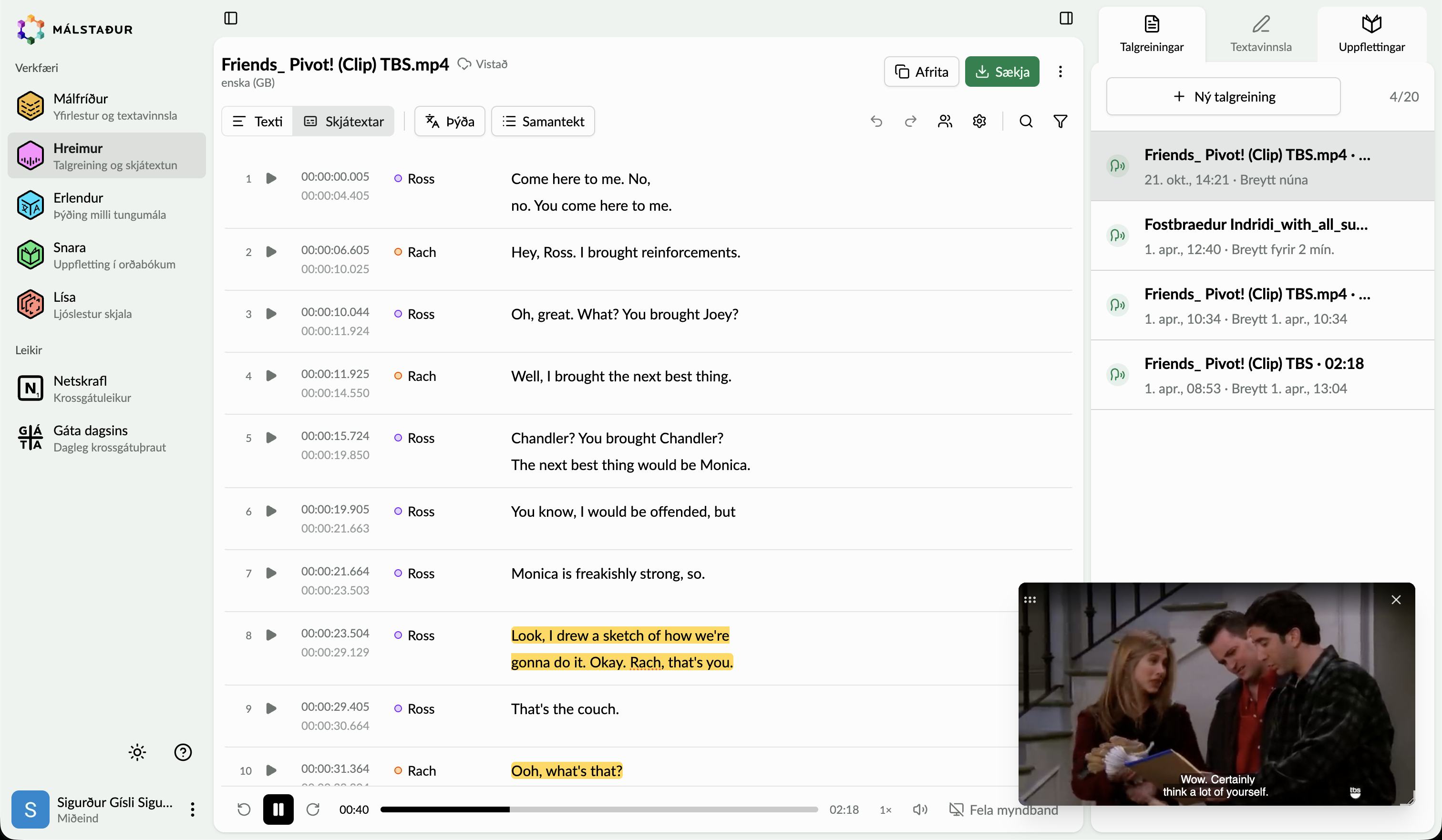
Text is always editable, with no separate edit mode to switch into. You can split a segment, merge it with the one below, delete it or add a new one underneath. Little arrows next to each timestamp nudge it into place, and undo and redo track every change, to the text and to the timing.
Talking to the editor
One of those gaps was going from speech to text you can actually work with. Dictation now lives right inside the Málfríður editor. You hit record, see the recording appear in your document, and it gets transcribed when you stop.
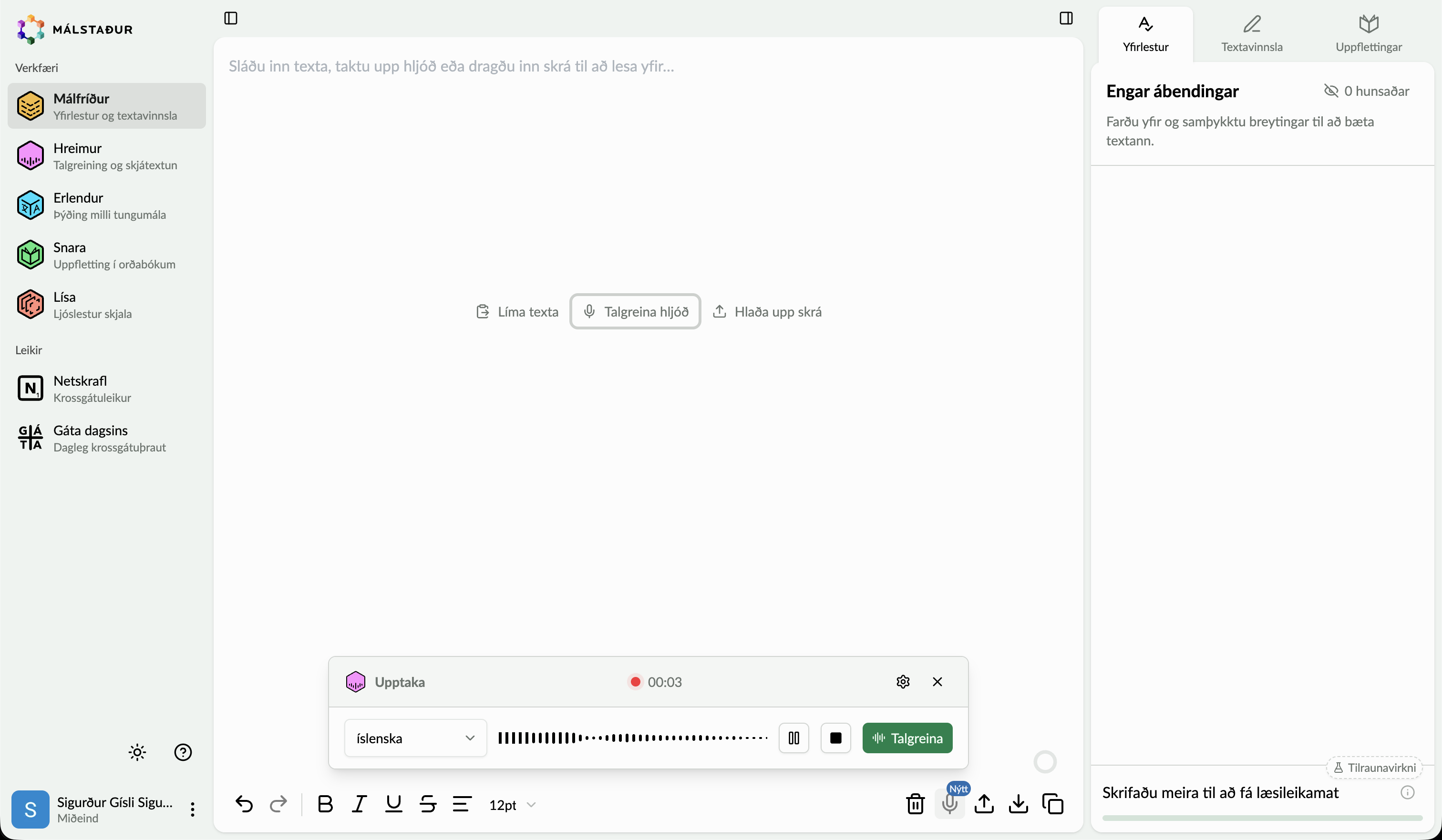
An empty document gives you three ways in: paste text, record audio or upload a file. It’s the same idea as the combined upload and record area for Hreimur.
Recording starts the moment you hit the button, without any extra steps in between. The paragraph settings for transcribed text are a shared component, used by both Málfríður and Erlendur.
Still worth exploring: a shortcut for visually impaired users. Málstaður is incredibly useful for people with visual impairments, so making it easier for them matters a lot.
Building it
I didn’t just hand over designs and wish everyone luck. I started the front-end work of moving to the new design myself.
Under the hood, the CSS was a mix of three different UI frameworks stacked on top of each other. Along the way we set up a proper design system, added dark mode, and built the color palette so it works seamlessly in both light and dark. A lot of legacy CSS got deleted. Decluttering always feels good.
The move happened incrementally instead of in one big rewrite. First an upgrade to daisyUI v5 as a stepping stone, knowing those components would get replaced anyway, then shadcn/ui going forward.
The launch
The redesign launched very smoothly. No complaints, and no compliments either.
To me, that’s the ultimate compliment. When people rave about a redesign it usually means you focused too much on eye candy. When they just keep working without a thought, that means the new design is easy to understand and use.
I also pushed them to raise their prices alongside the changes. They listened and didn’t get a single complaint, which probably means they could have raised them more.
The work keeps going
The best part is that the work didn’t stop at launch. Kári, the other designer on the team, has been building on the foundation and carrying it forward. He’s a very talented designer, and you can see it in his work.
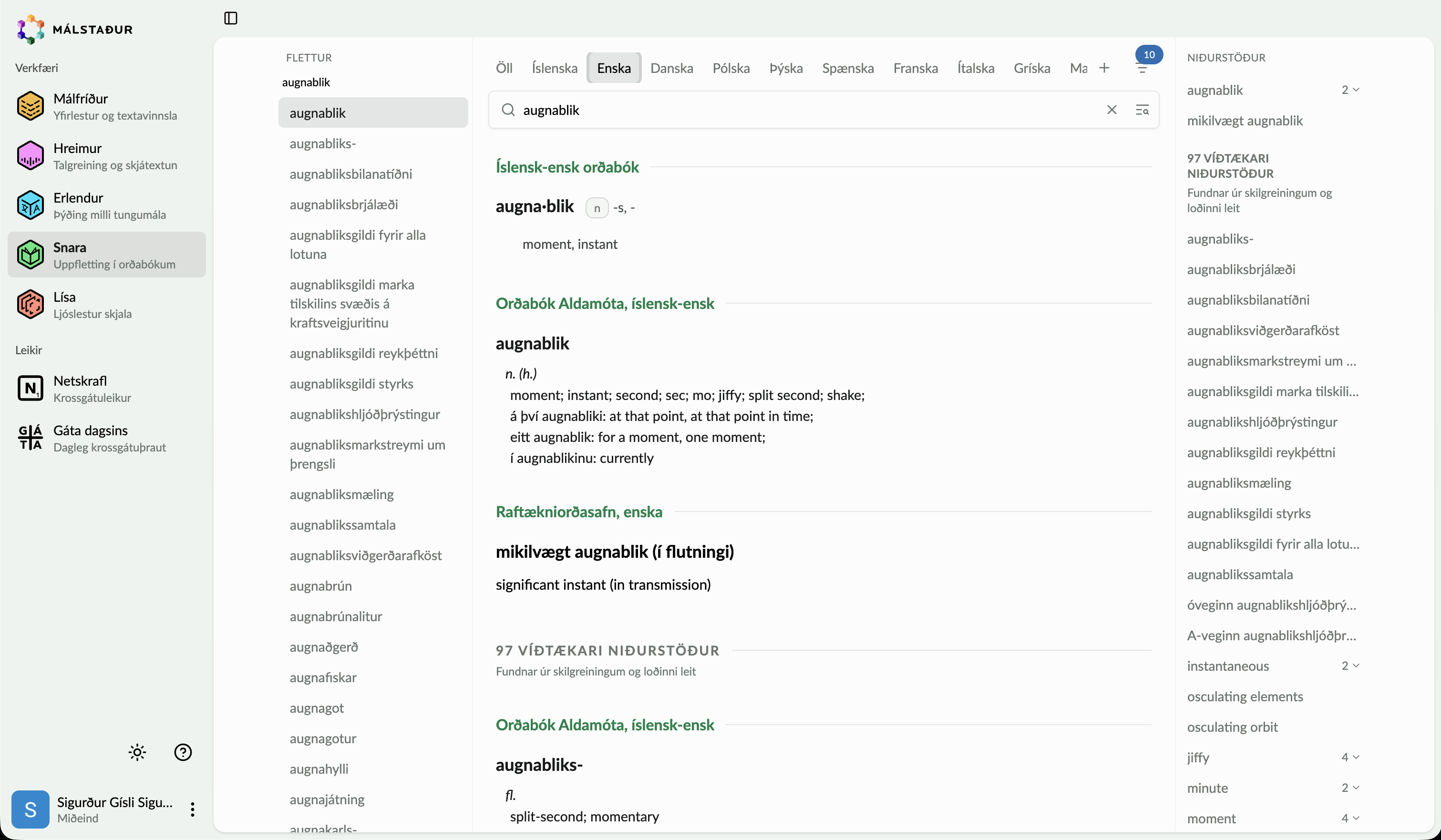
Here’s his Hreimur transcript view and the new Snara dictionary, both built on the same system.
That’s the whole point of laying a foundation. The next person gets to build something great on top of it.